
FROM PDF TO WEB APPLICATION
We digitize your paper and PDF forms into a fully functional online solution — secure, GDPR-compliant, and hosted in German data centers.
HOW YOU GAIN TIME AND QUALITY
BEFORE
PDF / paper
- Print, fill out, scan, email
- Manual typing into internal systems
- Deadline reminders by hand
- No overview of application status
- Deletion deadlines are not traceable
- Duplicate applications, typos
AFTER
Web-Application
- Fill out online, submit with one click
- Direct entry into the database
- Automatic emails 14 days before expiry
- Backend dashboard with filters, search, and statistics
- GDPR-compliant soft and hard delete pipeline with logging
- Validation directly in the browser
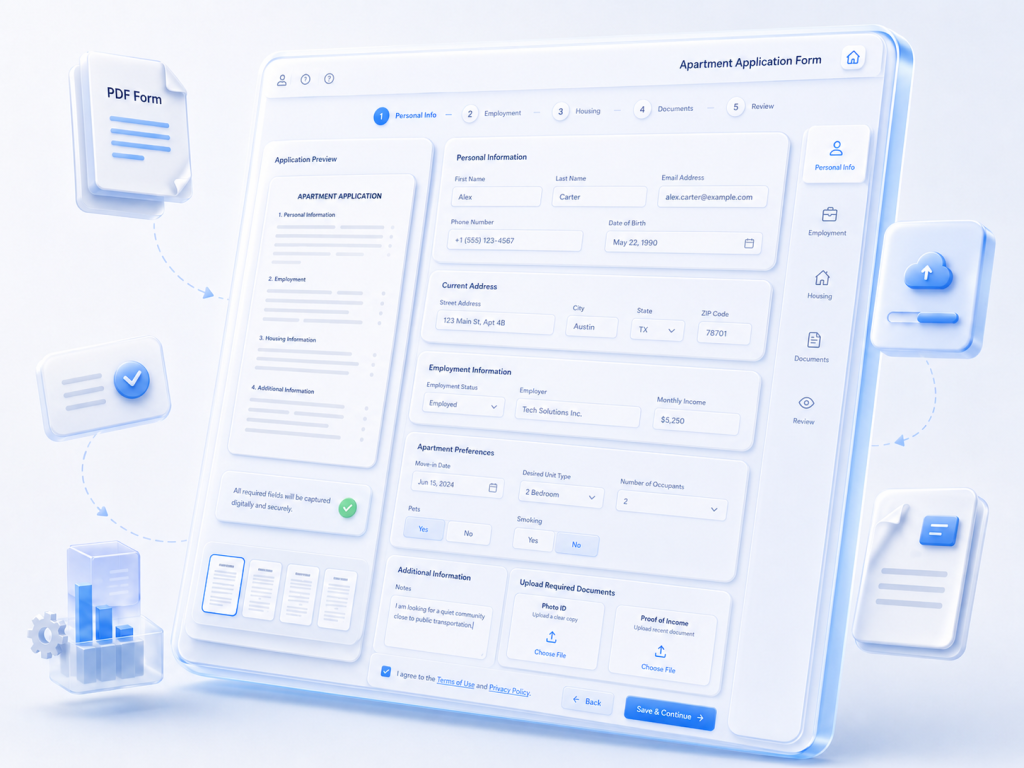
HOW THE TRANSITION WORKS
We listen
You send us your form and tell us how the process currently works for you. From that, we create a concept and coordinate it with you — clearly and without technical jargon.
We build it for you
You regularly see a working interim version and can give feedback. The finished solution reflects your logo, your colors, and your tone of voice.
We hand it over — and continue to support you
Server, security, and data protection are set up, and your team is trained. You have a dedicated contact person — even after launch.
FEATURE OVERVIEW
For your applicants / customers
- Login via email code — no password management required
- Fully fillable in the browser, mobile-friendly
- Immediate email confirmation with a PDF copy
- Form can be completed or extended online at any time
- Automatic reminders before expiry
For your team / staff.
- Clear dashboard with filters, search, and CSV export
- Role system: office staff / administrator
- Notes function with rating emojis for each application
- Bulk actions, such as sending a group email to multiple applicants
- Statistics dashboard with KPI trends, charts, and previous-period comparison
- Complete audit log: who changed what, and when?
- Configurable deletion periods, email footer, and privacy notice
SECURITY AND DATA PROTECTION
- Hosting in Germany / EU. Standard setup with a Hetzner server in Nuremberg or Falkenstein. No data transfer to third countries.
- Encrypted transmission TLS via Let’s Encrypt with automatic renewal. HSTS, Content Security Policy, and all relevant security headers are preconfigured.
- Passwords are not stored as passwords Backend accounts use bcrypt with cost factor 10 — hashed instead of encrypted, and not reversible. Form access for applicants runs via time-limited email codes, valid for 5 minutes.
- Rate limiting & abuse protection Anti-brute-force protection on login endpoints, per-email limits for code requests, and automatic notification emails to the admin address in case of suspicious activity.
- GDPR-compliant deletion pipeline Inactive forms are deactivated after a configurable period, then soft-deleted with a recovery option, and finally permanently deleted. Only an anonymized log entry remains.
- Complete audit log Every action in the system — creation, editing, email sending, status changes, consent to the privacy policy — is logged with timestamp and actor. Audit-proof and filterable.
- Daily backup Encrypted database backup to the server’s backup directory, with rotation and retention logic. Default retention: 30 days.
- Health endpoint for external monitors Standards-compliant liveness check, compatible with Pingdom, Better Stack, UptimeRobot, and similar services.
- Data Processing Agreement (DPA) We provide a sample DPA under Art. 28 GDPR, defining our role as data processor.
COST-EFFECTIVENESS — WHAT DOES MANUAL ADMINISTRATION REALLY COST?
A conservative monthly calculation for a small to medium-sized organization — housing cooperative, association, administration — regardless of size.
- 1 case worker, total employment cost €3,000/month (~€2,500 gross salary plus employer contributions)
- ~160 productive working hours/month → approx. €18.75 per hour total cost rate
- 25 applicant cases per month (mix of new entries, renewals, status requests)
- Plus monthly routine tasks, such as bulk letters and deletion management
Manual effort per month
| Activity | Minutes per case | Cases / month | Minutes / Month |
|---|---|---|---|
|
Renewal by phone: call, retrieve file, add note, file away |
7 |
12 |
84 |
|
Enter new application received by post: read PDF, type in data, send confirmation |
14 |
8 |
112 |
|
Status update by phone: “Is my application still active?” |
3 |
5 |
15 |
|
Bulk mailing for an available apartment: filter list, prepare letters, put them into envelopes. |
90 |
1 |
90 |
|
GDPR deletion management: check deadlines, sort out old files, add note |
– |
monthly |
120 |
|
Total |
~420 min ≈ 7 h |
||
One-time investment from €2,500 / savings of ~€130/month = around 18–20 months amortization period. For larger organizations with double or triple the number of cases: 6–10 months. From that point on, the solution effectively works “for free” — the saved working day per month can be invested in more valuable tasks from day one.
What our solution turns this into:
- The 25 individual applicant cases → 0 min, because applicants complete everything themselves online.
- Bulk mailing → a one-click action in the backend dashboard: set filters, select email template, send → ~2 min.
- GDPR deletion management → fully automated pipeline with audit log.
- Bonus, not included in the calculation: expiry reminders to applicants are sent fully automatically via cron job 14 days before expiry — this task disappears completely, without anyone having to write letters.
The 7 hours per month almost disappear entirely. Case workers gain this time back for higher-value tasks: phone consultation, quality checks of applications, and personal contact with tenants.
What this calculation does not include — but which further increases the real workload:
- Typos during manual data entry → follow-up questions, incorrect letters, duplicate records.
- Lost applications in the paper stack — hard to measure, frustrating when it happens.
- Compliance risk: missed GDPR deletion deadlines can result in fines.
- Employee frustration: monotonous data entry is not what case workers were hired for.
- Image with applicants: today’s users expect online processes. Requiring people to print PDFs appears unprofessional.
FREQUENTLY ASKED QUESTIONS
What does the implementation cost?
From €2,500 one-time for a two-page form of medium complexity. The price includes a role system (staff / administrator), statistics dashboard, and CSV export — these components come standard with our solution. The final price only depends on the scope of the actual form and any specific functional requirements. Hosting, operation, and support are optionally available as a monthly package.
Can you use our existing corporate identity / layout?
Yes — we mirror the logo, color palette, and fonts of your main website, so the digital area fits seamlessly for your customers.
How long does implementation take?
A one-page form with a basic office backend: approx. 4–6 weeks. Complex applications with multiple workflow stages: 8–14 weeks.
Where is the data stored?
In a German data center. By default, Hetzner Nuremberg/Falkenstein or a provider specified by the client — as long as it is GDPR-compliant.
What happens to the old PDF form?
We recommend replacing the PDF with a link to the new portal and setting up a redirect from the existing PDF URL — so bookmarks and search engine results continue to work. The implementation is handled by your existing website provider; we provide a short written guide for this.
Is staff training included in the price?
Yes, a comprehensive introduction before launch is included. Additional training sessions or workshops are billed based on effort.
Is there a concrete example of the implementation?
Yes, we have already implemented solutions of this kind. You can find one example in our case study: Online Application System
TECHNICAL DETAILS
Frontend functionality
- Technology: Angular, current LTS version, standalone components, signals-based reactivity.
- Responsive design: Mobile-first, optimized for smartphone, tablet, and desktop.
- Custom CI: Designed to match the client’s main website — we adopt the logo, colors, and typography.
- Browser-based input validation with clear error messages before data is sent to the server.
- Session management: Applicant sessions without a permanent account (email code, JWT in `sessionStorage`). Office staff have their own account and role system.
- Accessibility: Keyboard navigation, ARIA labels, semantic HTML.
Backend functionality
- Technology: NestJS (Node.js), TypeScript, Clean Architecture with clear separation of domain, use cases, infrastructure, and presentation.
- Database: PostgreSQL with a versioned migration system.
- REST API with validation on every endpoint (`class-validator`), strict DTOs, and ParseUUIDPipe for ID parameters.
- Authentication: JWT (HS256), role-based access (applicant / office / administrator), office accounts with bcrypt hashes.
- Email delivery: Configurable SMTP integration — Office 365, own mail server, or external service provider. Every attempt is logged (recipient, type, status, error message).
- Internal cron jobs: reminders, deletion pipeline, automatic backup — all runs are visible in the office backend and can be triggered manually.
- Audit log: Every status change is recorded with actor, timestamp, and a snapshot of the relevant fields.
Security: defense in depth
- TLS everywhere, automatic certificate renewal via Let’s Encrypt.
- HTTP security headers: HSTS, X-Frame-Options DENY, X-Content-Type-Options.
- Rate limiting at API level (`@nestjs/throttler`), stricter on login endpoints: 5 attempts/min, per-email limit for code requests.
- Brute-force protection with automatic admin notification in case of suspicious activity.
- CSRF / XSS: SameSite policy on tokens, HTML input consistently filtered via `sanitize-html`, no `innerHTML` usage without whitelisting.
- SQL injection: parameterized queries only.
- CSV injection protection for office exports.
GDPR & data protection
- Location: Hosting in a German data center, no data transfer to third countries (Art. 44 et seq. GDPR).
- Data minimization: Only the fields requested by the original PDF — we do not introduce any additional trackers, analytics tools, or third-party scripts.
- Deletion pipeline with two stages: soft delete with recovery option, hard delete after a configurable period.
- Right of access: Applicants can view their own data at any time in the portal; office staff can export records as PDF with one click.
- Right to erasure: The office function “permanently delete” removes all records; only an anonymized log entry remains while respecting statutory retention obligations.
- Consent to privacy notice is recorded when the form is submitted, including a hash of the text — making it possible to prove later which version the applicant consented to.
- Data Processing Agreement (DPA) included as standard.
- Privacy notices can be maintained in the office backend and are automatically displayed in the application form.
Maintenance
- Monitoring via public health endpoint, compatible with Pingdom.
- Daily automatic backup, gzip-compressed, with rotation and integrity checks.
- External alert email in case of email delivery errors or rate-limit hits, sent to a configurable admin address.
- Office backend for self-management: email footer, privacy notice, deletion periods, portal URL, user management — all configurable without a developer.
- Support options: maintenance package on an hourly basis or monthly service flat rate.